InboxKit’s Quick Setup feature lets you set up your full email infrastructure—domain, mailbox, sequencer export, and DNS details—in just a few minutes. This guide walks you through every step from start to finish.
Log in to your InboxKit dashboard.
On the left-hand sidebar, click Quick Setup.
Click Get Started on the Quick Setup page.
This will launch the guided workflow.
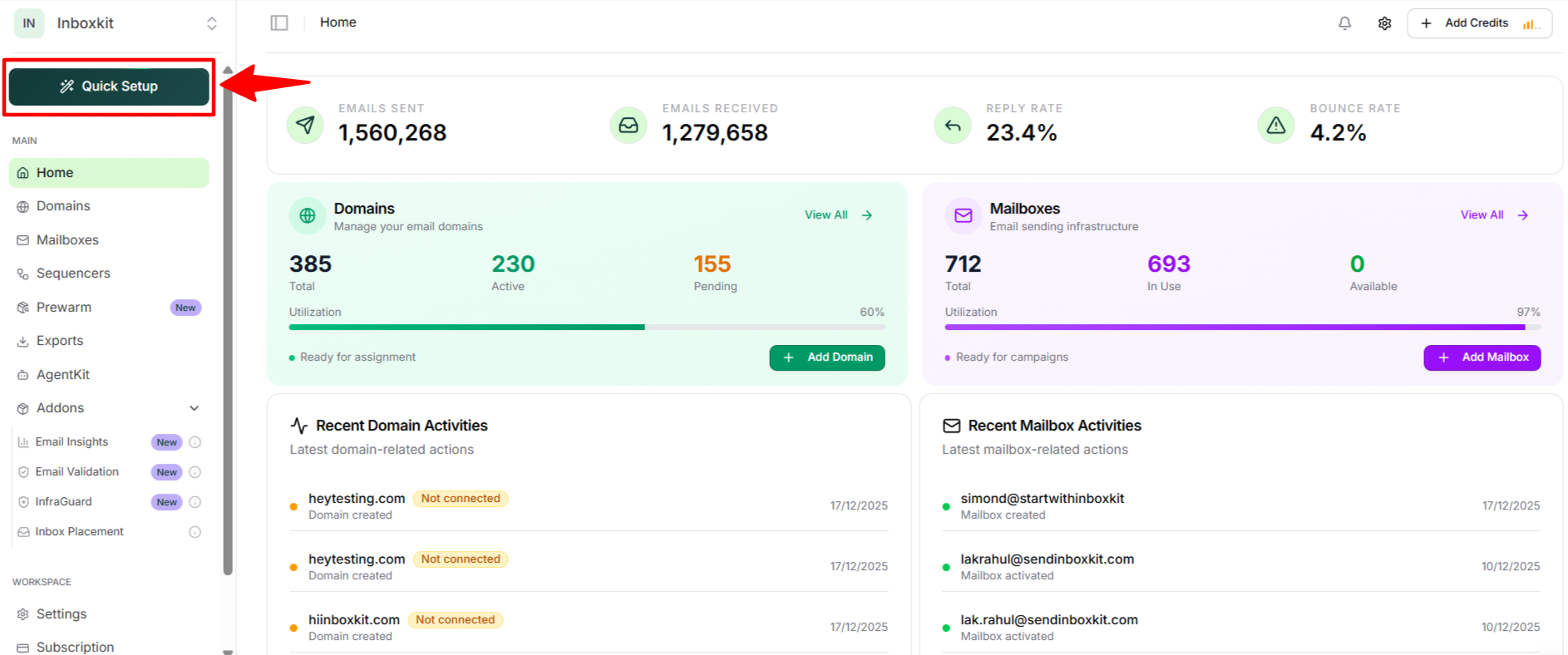
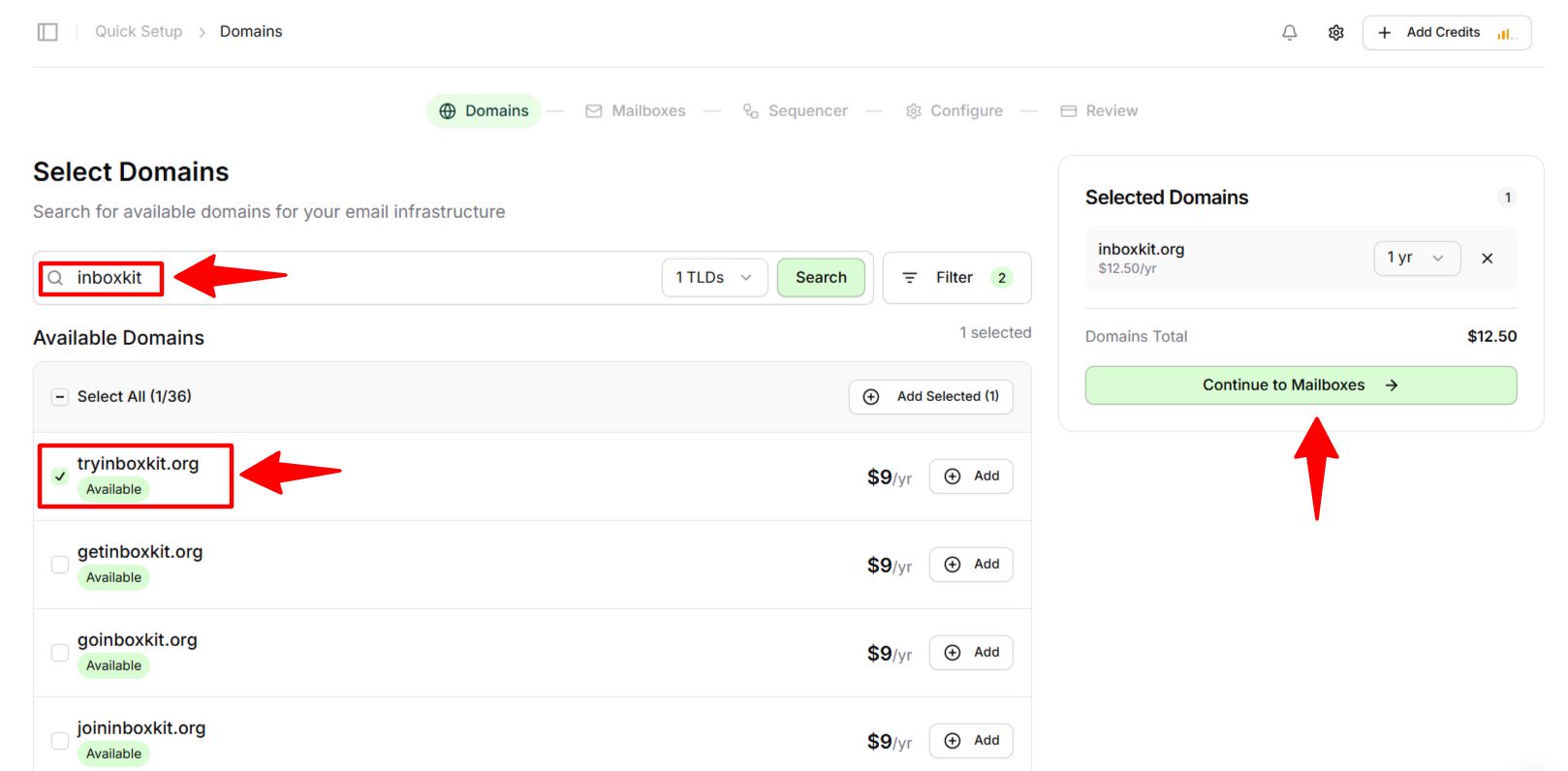
Use the domain search bar to look for an available domain.
Apply filters if needed (TLDs, pricing, etc.).
Click Add next to the domain you want to purchase.
Your selected domain will appear on the right panel.
Click Continue to Mailboxes.
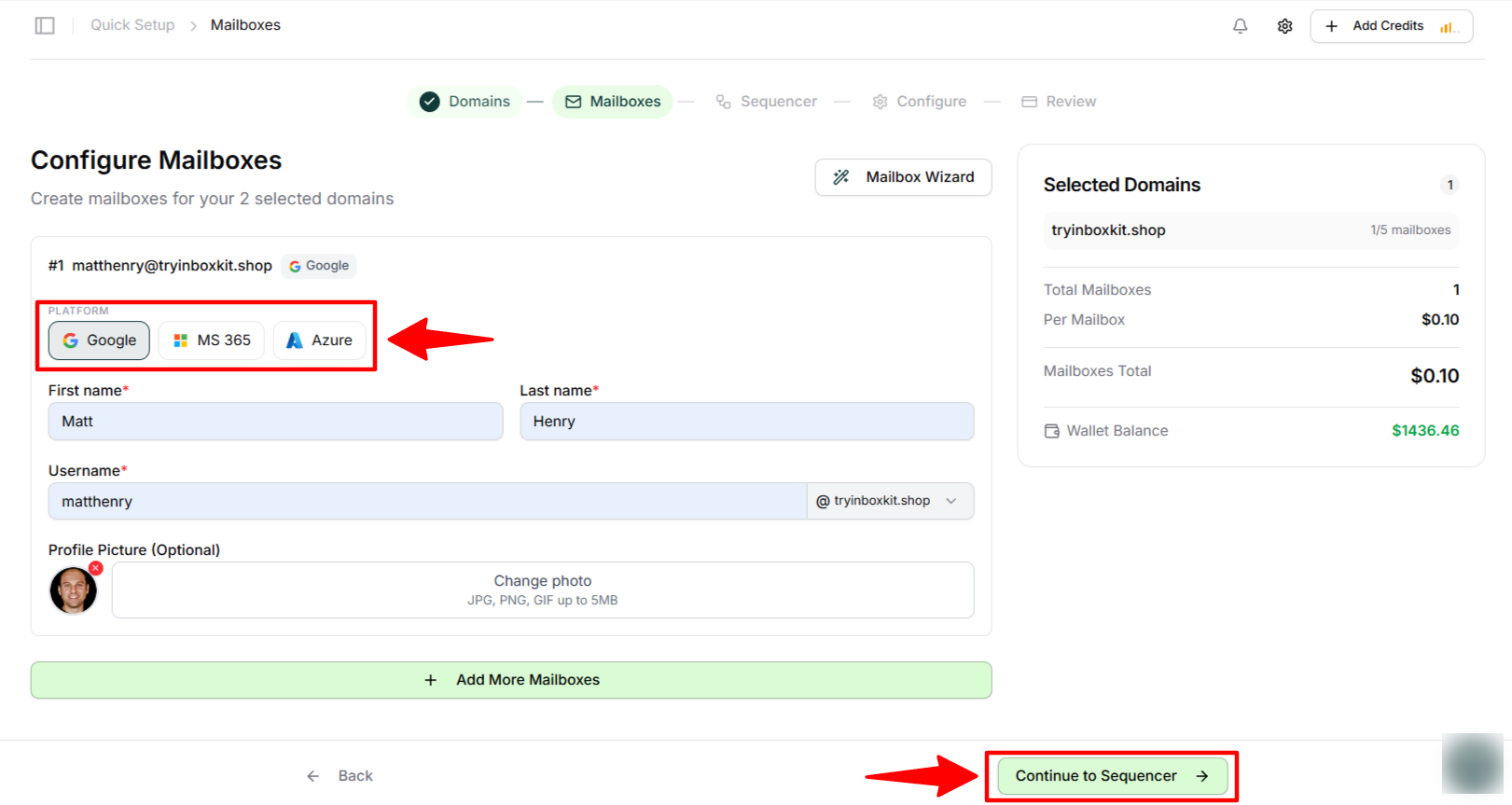
Choose your mailbox platform: Google Workspace or Microsoft 365.
Enter:
First name
Last name
Username
(Optional) Upload a profile photo.
If you need additional mailboxes, click Add More Mailboxes.
Click Continue to Sequencer.
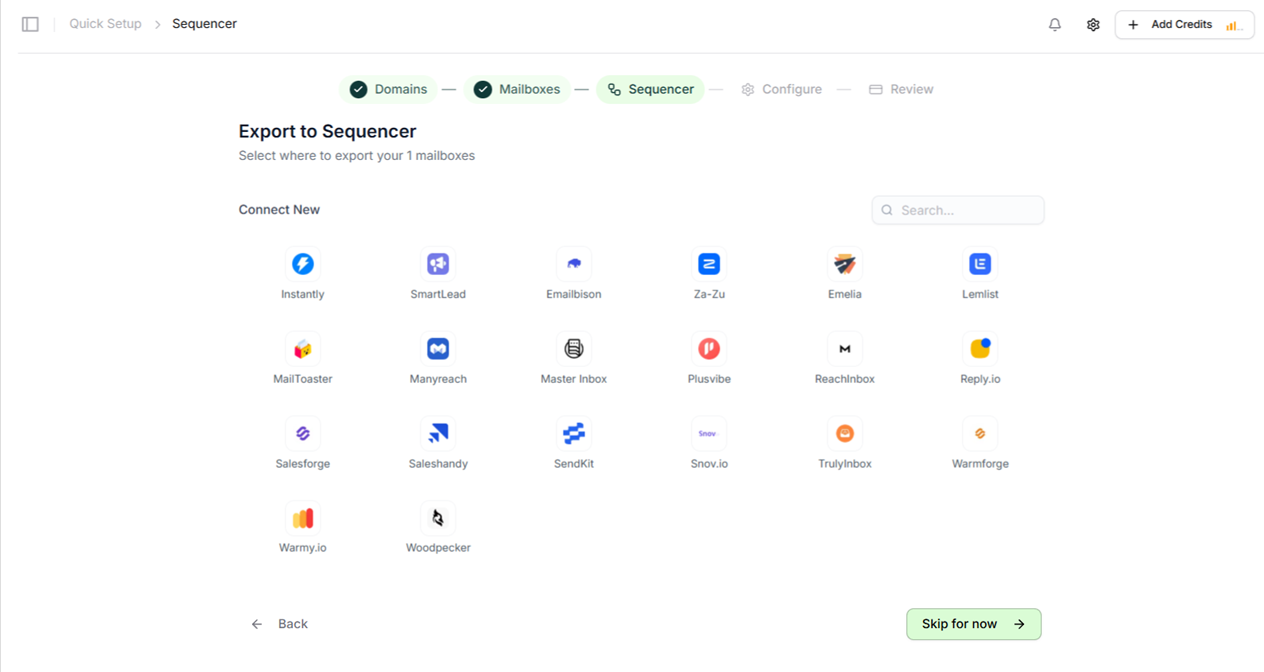
You will now choose which sequencer tool to export your mailbox to.
Select your sequencer from the list (e.g., Smartlead, Instantly, Saleshandy, Reply.io, etc.).
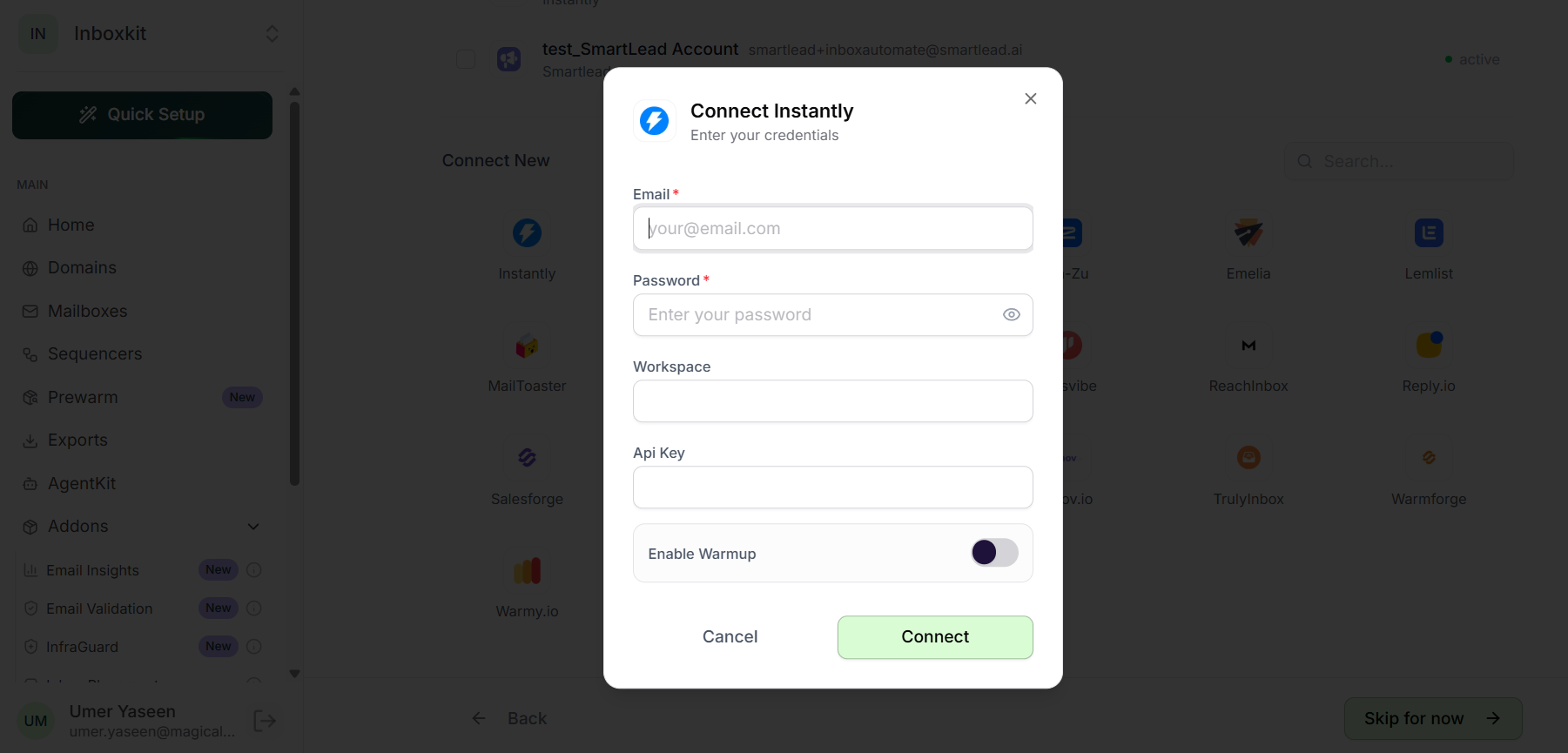
A connection window will appear.
Enter:
Sequencer email
Sequencer password
(Optional) Google Consent URL
Click Connect.
Once connected successfully, click Continue.
If you don’t want to export now, click Skip.
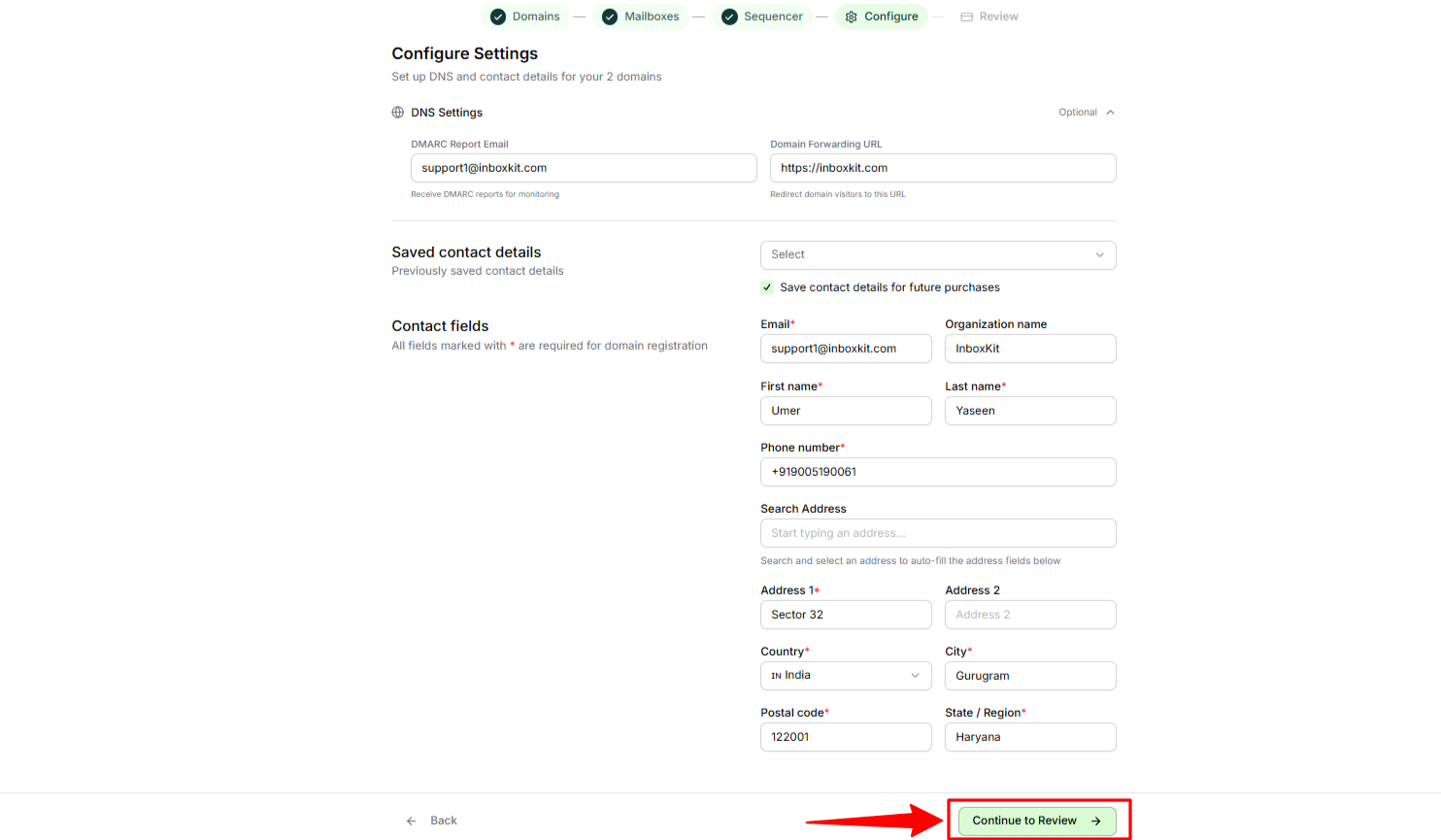
InboxKit will now ask for DNS and contact details required for domain registration.
DMARC Report Email
Domain Forwarding URL
Fill in all required fields:
First name & Last name
Organization name (optional)
Phone number
Address
City, Country, State
Postal code
Enable Save contact details for future purchases if you want InboxKit to remember your info.
Click Continue to Review.
The Review page displays:
Selected domain
Mailboxes
Sequencer export
Pricing summary
Any applicable discounts (e.g., Black Friday offers)
Double-check everything.
When ready, click Ready to Launch.
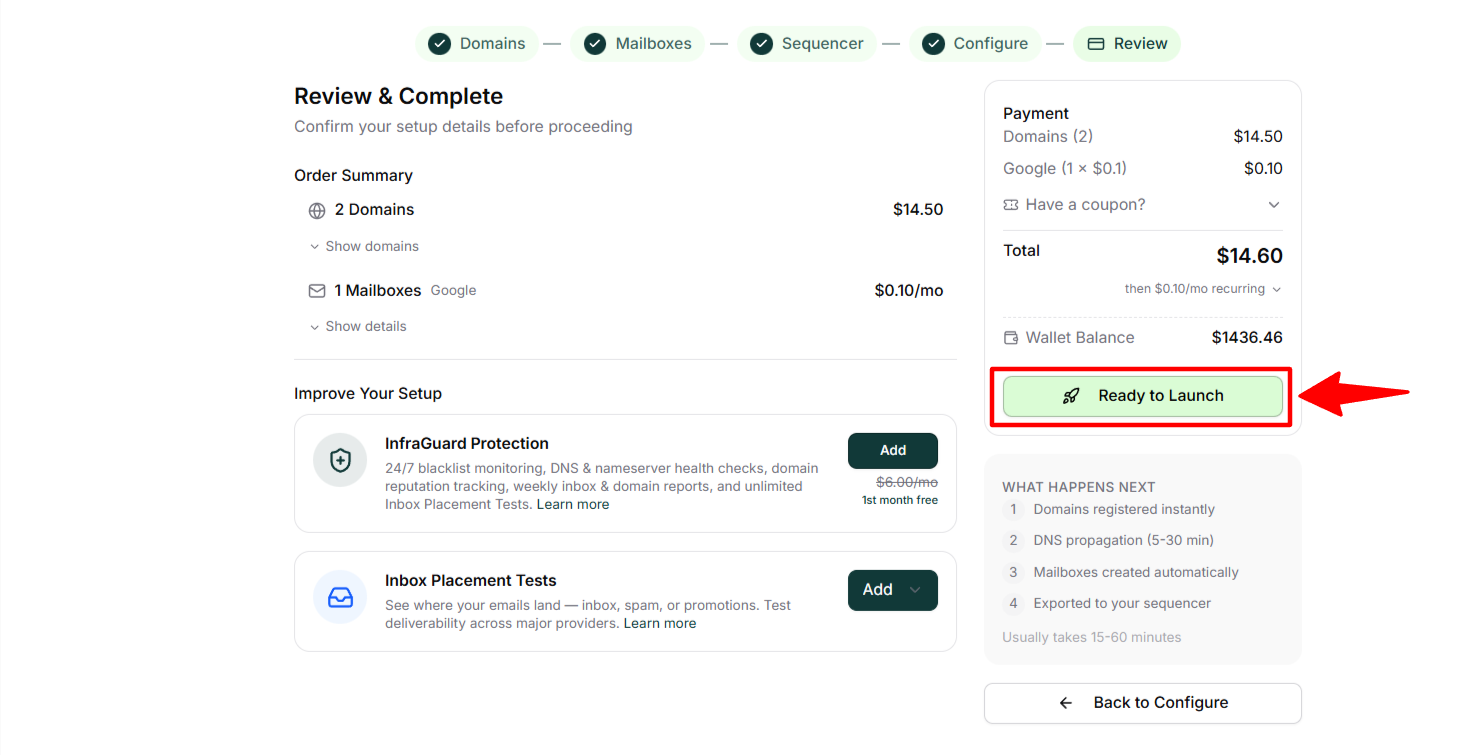
Once submitted:
Domain is registered instantly
DNS propagation begins (usually 5–30 minutes)
Mailboxes are created automatically
They are exported to your sequencer (if selected)
The full process usually completes within 15–60 minutes.
That’s it! Your entire email infrastructure is now active.